
CabbiCore icon
CabbiCore

Release Notes

Latest updates and fixes for the CabbiCore Chrome plugin and portal.

Leave Review Contact CabbiCore

πŸ”— Copy link
28 May 2026 Version 5.3 4.8 to 5.3 > Ban Management & Stuck Job Support

4.8 to 5.3 > Ban Management & Stuck Job Support

CabbiCore is now used by over 315 users, and this release window brings together a number of updates focused on safer customer ban management, stuck job support, and selected fleet-specific tools.

Several new tools have been added, and selected existing tools have been improved to make CabbiCore more useful across support, migration, and day-to-day operational tasks.

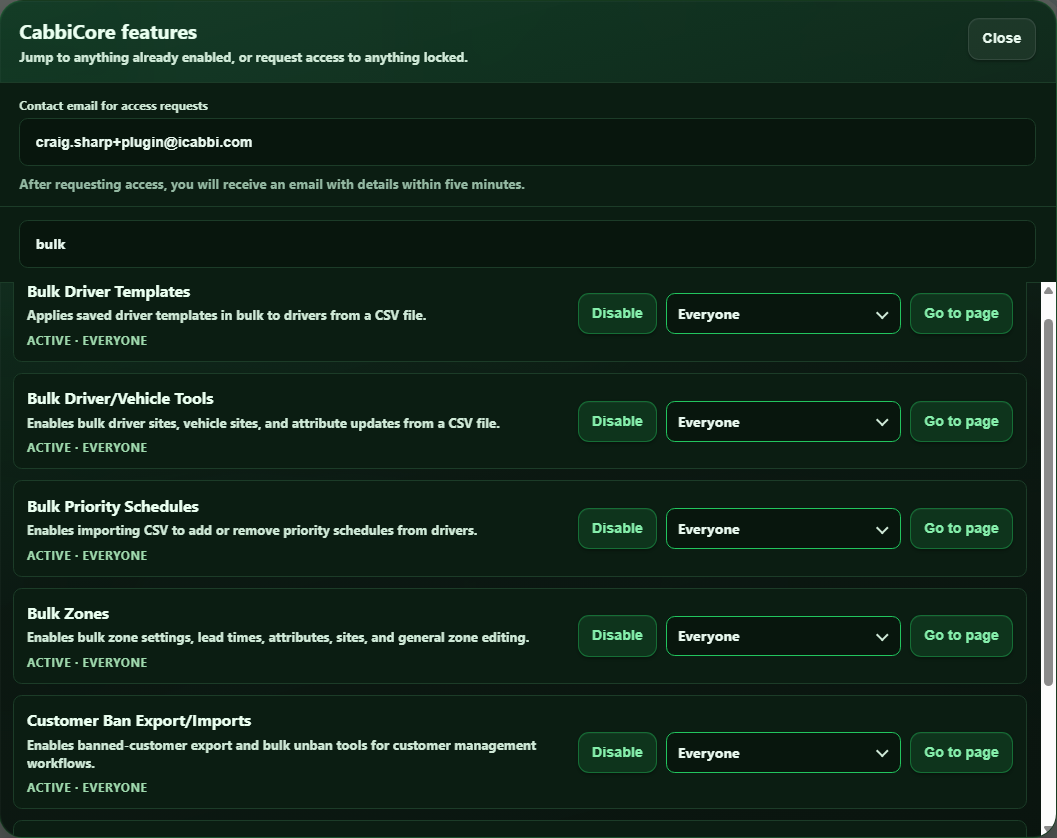
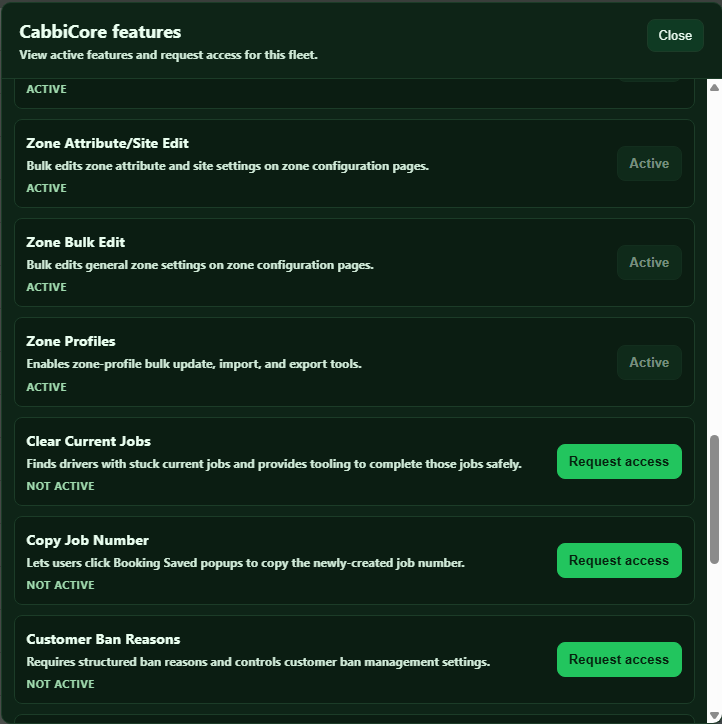
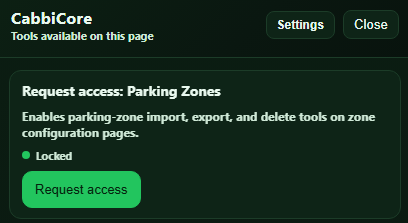
Some tools in this release may not be enabled by default for every fleet. If you are interested in using a feature that is not currently available for your fleet, please contact CabbiCore support.


🚫 Customer Ban Tools

CabbiCore now includes new Customer Ban tools for supported fleets, giving authorised users safer and more consistent ways to manage banned customers.

CabbiCore now supports:

  • Exporting currently banned customers to CSV

  • Downloading a customer ban import template

  • Importing customer IDs to unban selected customers

  • Unbanning all currently banned customers

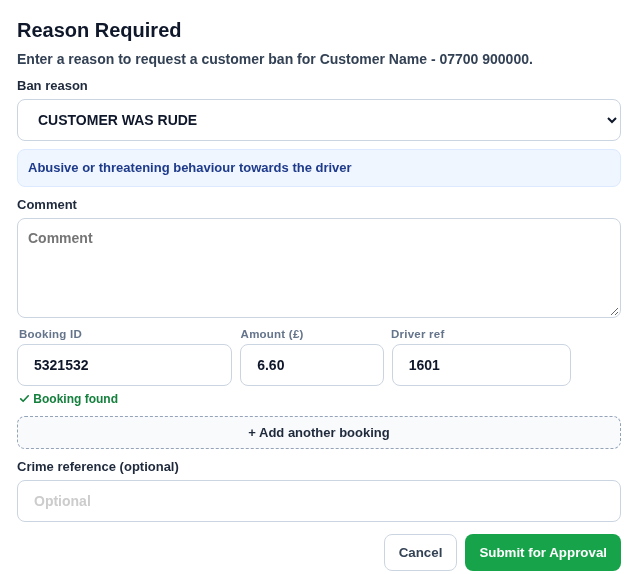
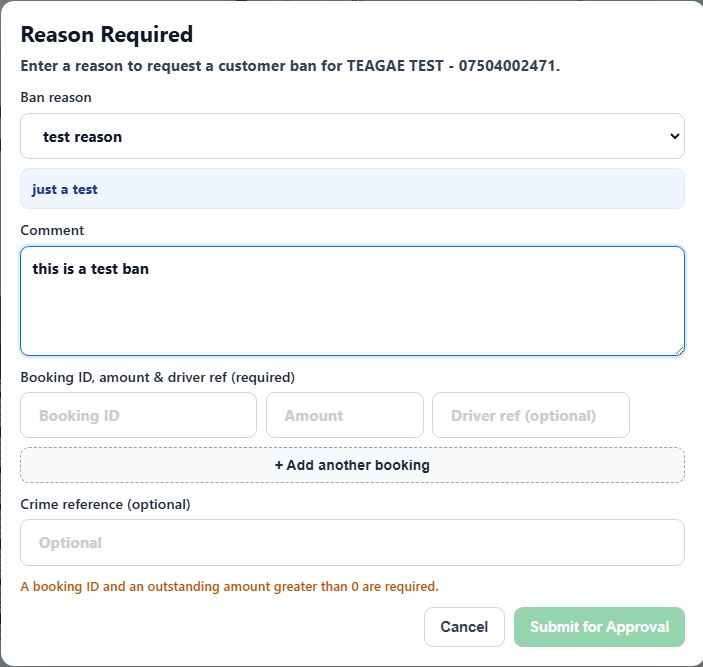
  • Requiring a reason when a customer ban is requested

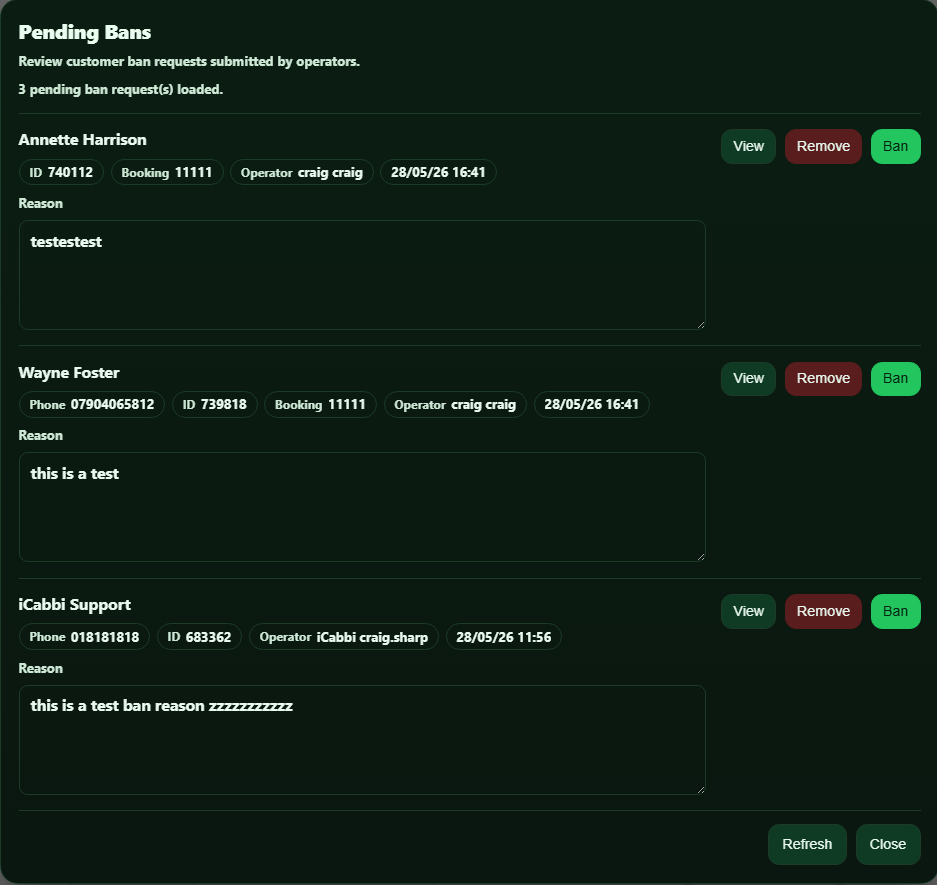
  • Reviewing pending customer ban requests

  • Approving or removing pending ban requests

  • Managing users who are allowed to approve customer bans

When a customer ban is approved, CabbiCore can also add a customer note including the ban reason and optional booking ID.

For fleets using the approval workflow, non-approver users can submit a ban request instead of directly banning the customer. Approvers can then review the request, edit the reason if needed, and either approve the ban or remove the request.


🧹 Clear Stuck Jobs

CabbiCore now includes a Clear Stuck Jobs tool for supported fleets. This action typically had to be done by iCabbi support where jobs would randomly get stuck on occasions.

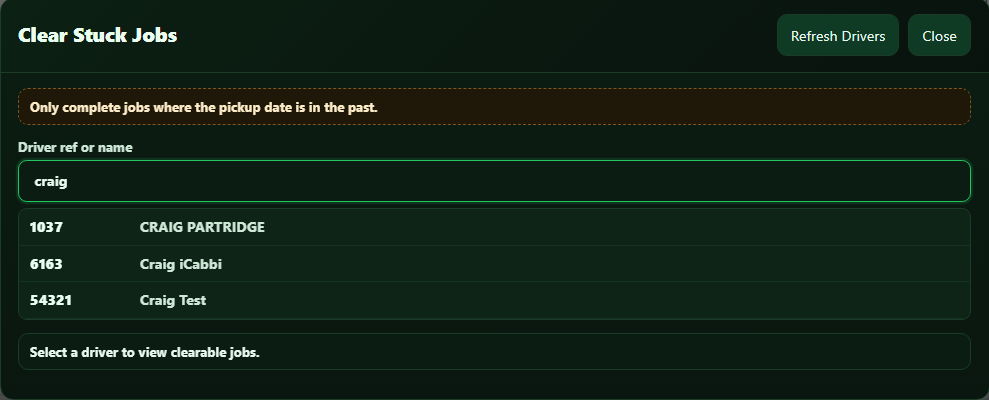
This tool helps authorised users find a driver, view current jobs returned against that driver, and complete jobs that are stuck.

CabbiCore now supports:

  • Searching drivers by ref, name, or ID

  • Refreshing the driver list

  • Viewing clearable jobs before taking action

  • Completing selected stuck jobs

  • Blocking completion for future pickup jobs


🧩 Smaller Updates & Fleet-Specific Tools

A few additional updates have also been included in this release window:

  • Third-party zone export tools: CabbiCore now includes tools to help export zone data from selected third-party systems for migration and setup workflows.

  • Webhook Logs update: For supported fleet-specific setups, Webhook Logs has been updated with improved time zone handling and clearer local time zone selection.

  • Booking Time Zone: For supported fleet-specific setups, CabbiCore can show converted booking times based on zone tags, helping operators understand pickup times across different time zones.

If you would like to use any of these tools and they are not currently available for your fleet, please contact CabbiCore support.


❀️ Thank You

CabbiCore is now supporting over 315 users, and these updates continue our work to make it more useful, reliable, and easier to manage across different fleet setups.

As always, if you notice anything that does not look right, please contact CabbiCore through the support form so we can investigate.
πŸ”— Copy link
29 Apr 2026 Version 4.7 Versions 4.0 to 4.7 > More Tools, More Control

Versions 4.0 to 4.7

This release window brings together a number of CabbiCore updates across Zone Profiles, Zone Fusion, import tools, and selected fleet-specific workflows.

Several new tools have been added, existing import flows have been made easier to use across larger fleets, and behind-the-scenes reliability has been improved to make CabbiCore more dependable across different page layouts and configurations.

Some tools in this release are feature flagged and may not be enabled by default for every fleet. If you are interested in using a feature that is not currently available for your fleet, please contact CabbiCore support.


πŸ—Ί New Zone Profile Tools

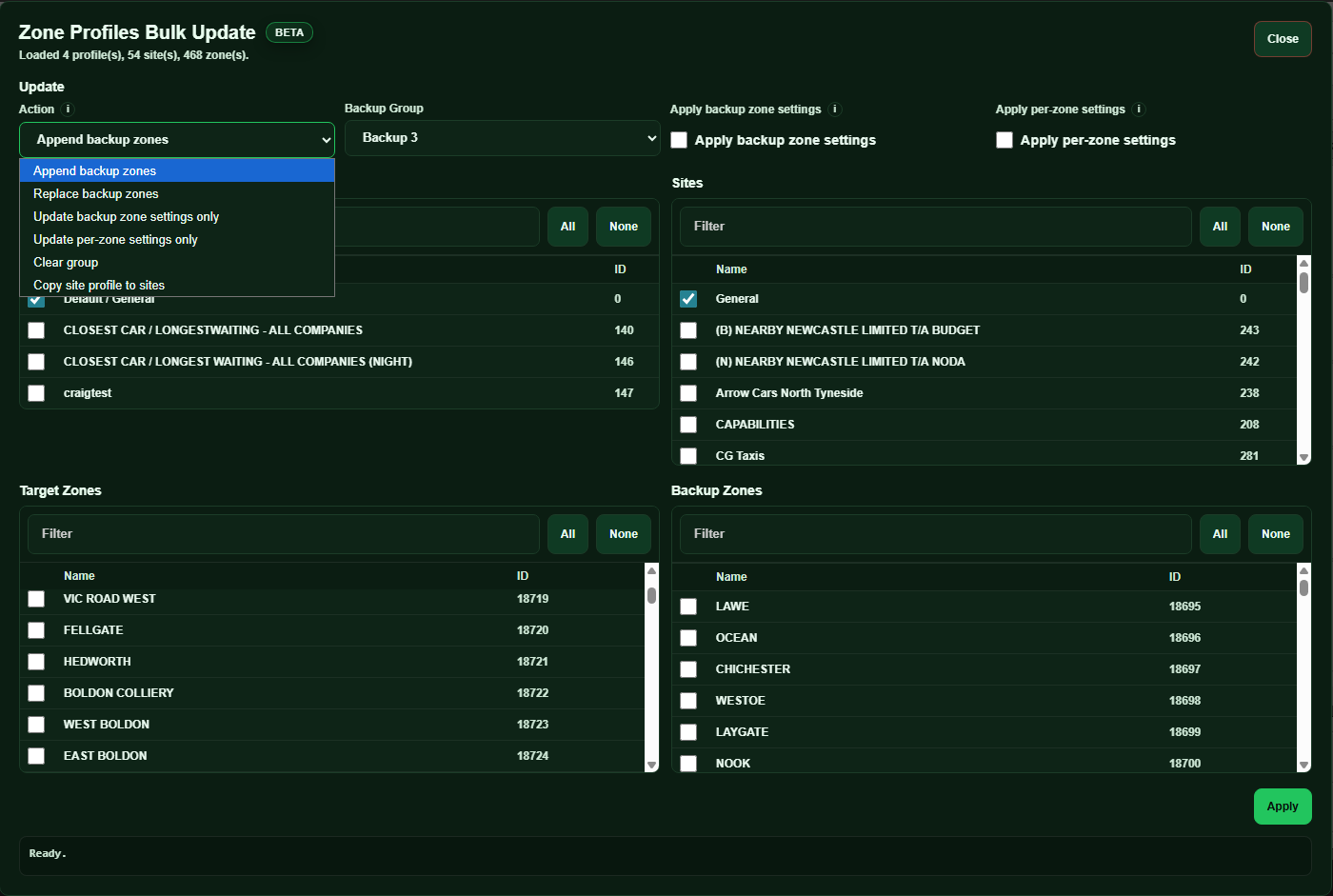
CabbiCore now includes a new set of Zone Profile tools, designed to make larger Zone Profile changes easier, safer, and more repeatable.

These tools are useful when backing up existing configuration, applying changes across multiple profiles, or copying setup between sites.

CabbiCore now supports:

  • Exporting selected zone profiles and sites to JSON

  • Importing previously exported Zone Profile data

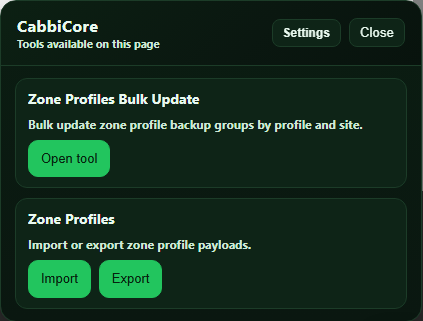
  • Bulk updating zone profile backup groups across selected profiles and sites

  • Bulk updating per-zone settings across selected profiles and sites

  • Copying zone profile setup from one site to other sites using iCabbi's Zone Fusion

Exports include both backup group data and per-zone settings, giving users a more complete way to back up, review, reuse, and apply Zone Profile configurations.

The Zone Profile tools include a dedicated bulk update interface with a wider layout.


πŸ“₯ Fixed Fare and Tariff Import Updates

Fixed Fare Import and Tariff Import now support site selection across paginated site lists.

Previously, site selection could be limited when fleets had larger numbers of sites spread across multiple pages. This update makes it easier to select the sites you need, even when they are not all visible on the first page.


⏱ Zone Fusion Bulk Lead Times

Zone Fusion Bulk Lead Times includes clearer save progress, success messages, and error feedback.

Lead time saving is also more reliable, with better handling for inherited and default values.

iCabbi’s Zone Fusion is not publicly released yet and is currently only available in a testing environment.


🧩 Fleet-Specific Updates

A small number of fleet-specific updates were also included in these releases.

These covered selected improvements for rule removal workflows, voucher reference management, and wallboard driver message handling.

These changes only apply where the relevant CabbiCore features are enabled for a fleet.

If you are interested in using any feature-flagged CabbiCore tools, please contact CabbiCore support.


❀️ Thank You

These updates continue our work to make CabbiCore more useful, reliable, and easier to manage across different fleet setups.

As always, if you notice anything that does not look right, please contact CabbiCore through the support form so we can investigate.
πŸ”— Copy link
18 Feb 2026 Version 3.9 Maintenance & Performance Release

CabbiCore Version 3.9

This is a small maintenance release focused on usability and performance, with no new fleet-facing features in this version.

πŸ”” Smarter Release Notes

We have introduced passive release notes for smaller updates.

Release notes will now only open automatically for major releases. Smaller updates will be delivered quietly, helping avoid interruptions during active work. Release notes remain accessible at any time.

⚑ Performance Improvements

Company Settings Caching

Company settings are now cached for up to 24 hours instead of being requested on every page load.

This improves loading times and reduces server load.

If you need to refresh settings immediately, you can use β€œEmpty Cache & Hard Reload” in the CabbiCore plugin popup.

πŸ“Œ Reminder: Version 3.8 Update

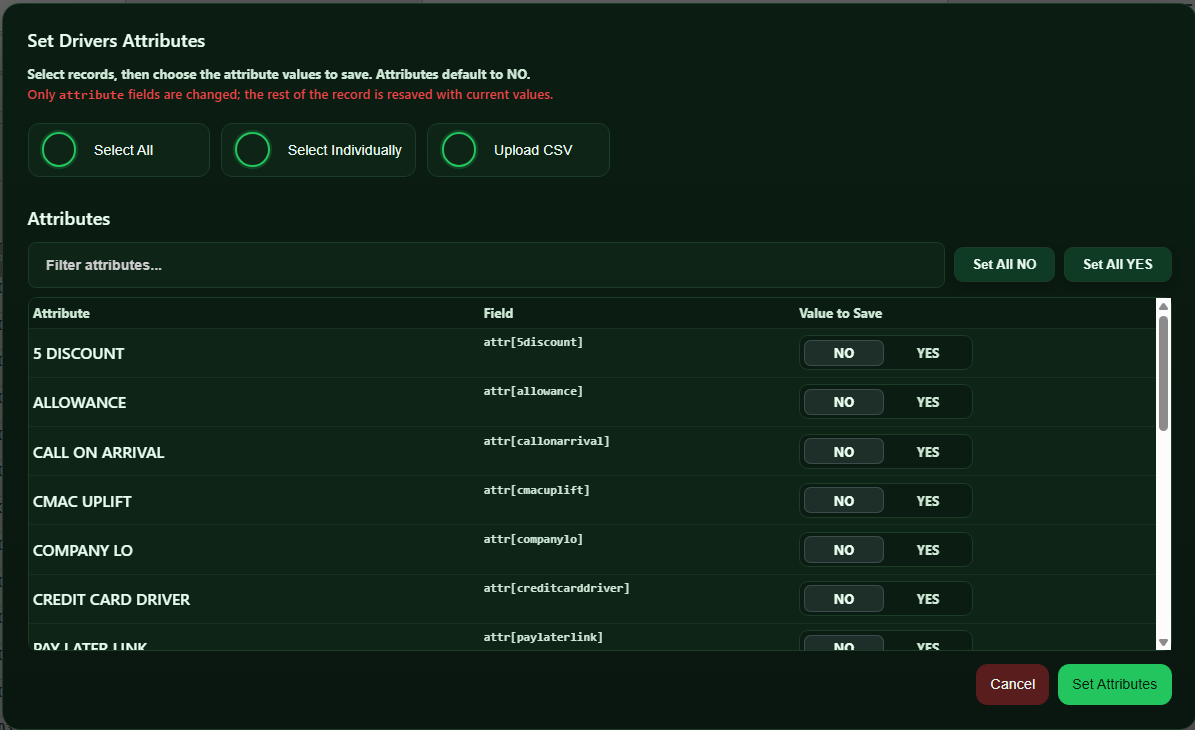
In Version 3.8, we added a bulk re-save drivers option for driver templates.

This allows all drivers to be saved with their current settings, helping fix occasional vehicle linking issues after iCabbi imports and removing the need for manual re-saving.


πŸ›  Summary

  • Less disruptive update notifications

  • Faster performance through caching

  • Improved bulk template reliability

πŸ”— Copy link
11 Feb 2026 Version 3.7 Bulk Driver & Vehicle Site Management

CabbiCore Version 3.7

This release introduces powerful new bulk management tools for drivers and vehicles, helping you save time on one of the most tedious admin tasks.

You can now bulk assign sites and primary sites directly from the CabbiCore console when viewing:

Manage > Drivers
Manage > Vehicles

With the new tools, you can:

  • Select all drivers or vehicles

  • Filter by reference matching strings

  • Filter by current site

  • Select specific ranges

  • Apply multiple sites and a primary site in seconds

  • Upload a CSV to assign sites

Previously, this kind of bulk management was only possible via the API. It is now fully available in the CabbiCore console, making large-scale updates faster and far more convenient.


πŸš– Fleet-Specific Improvements

Two new fleet-specific features have been introduced and are currently feature-flagged, meaning they are enabled only for selected fleets. If your fleet would like access to either feature, please contact support and we will be happy to enable them.

1. Operator Screen Message Cleanup (Version 3.6)
A feature to automatically remove driver chat re-confirm prebook bidding messages from the operator screen.

These messages were creating unnecessary noise and distraction for operators, and this update helps keep the interface cleaner and more focused.

2. Driver Messages on Dispatch Wallboard (Version 3.5)
A feature to restore driver messages on the dispatch wallboard.

A previous dispatch update removed these messages, which some fleets relied on for operational awareness. While we understand that iCabbi are looking to reintroduce this in a future release, this feature provides a temporary solution in the meantime.

πŸ“Š Event Tracking (Lightweight & Anonymous)

We have introduced some basic event tracking to help us understand how features are being used (for example, how often fixed fares are imported).

This does not track any personal data and is purely used to guide future improvements and recognise value.

πŸ›  Other Improvements

  • Removed a legacy currency conversion feature that is no longer required, helping keep CabbiCore lightweight and efficient

  • Moved "Bulk Driver Templates" into the CabbiCore console on Manage > Drivers (previously, you had to go to the bulk edit tab)

πŸ”— Copy link
21 Jan 2026 Version 3.4 Console icon configuration & small fixes!

CabbiCore Version 3.4

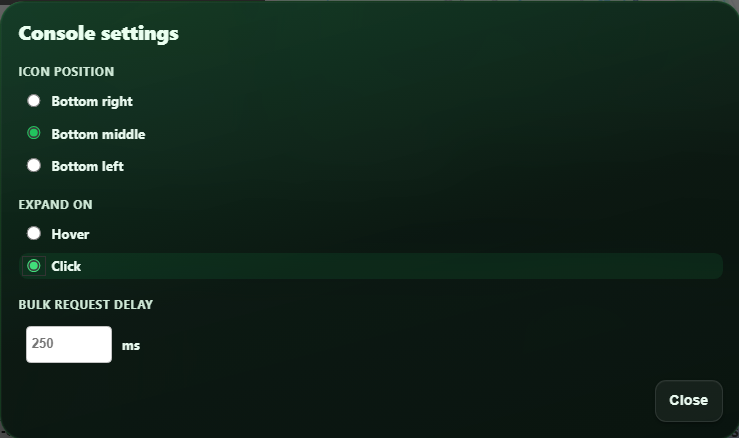
This version introduces configuration for the CabbiCore console icon. Previously, it was fixed to the bottom right of the screen - now you can configure the position to be left, right or middle. This change was implemented as users reported that it was covering the "Save" button in some areas of the dispatch system.

πŸ›  Other Fixes

  • UI issues resolved on fixed fare importer

  • UI change for applying driver templates (applied in version 3.3)

  • [CUSTOM] Resolved Aeroport dates loader interfering with booking form datepicker

❀️ Thank You

CabbiCore is now used by over 200 users, which we are incredibly grateful for.

If you find the plugin useful:

Thank you for being part of the journey!

πŸ”— Copy link
05 Jan 2026 Version 3.1 New Year, New Brand!

New Year, New Brand!

This release marks a major milestone for the plugin formerly known as iCabbi Tools. While there are no new end-user features in this update, it represents a substantial refactor and a complete rebrand to CabbiCore.

We have unified all areas of the plugin under the new CabbiCore brand, with consistent styling and behaviour across the entire extension. This refactor was significant behind the scenes and lays the foundation for clearer communication, better support, and future improvements. If you noticed any issues, please contact us here.

🎨 Unified Look & Feel

Previously, different parts of the plugin evolved independently. In this release, all tools now share the same visual styles and interaction patterns, providing a more cohesive and predictable experience.

πŸ” Clear Separation From iCabbi

We have removed the automatic insertion of buttons directly into the iCabbi platform UI. This caused understandable confusion around what functionality belonged to iCabbi and what was provided by our plugin.

CabbiCore is a third-party product and is not supported directly by iCabbi, so it is important that this distinction is clear.

🧭 Introducing the CabbiCore Console

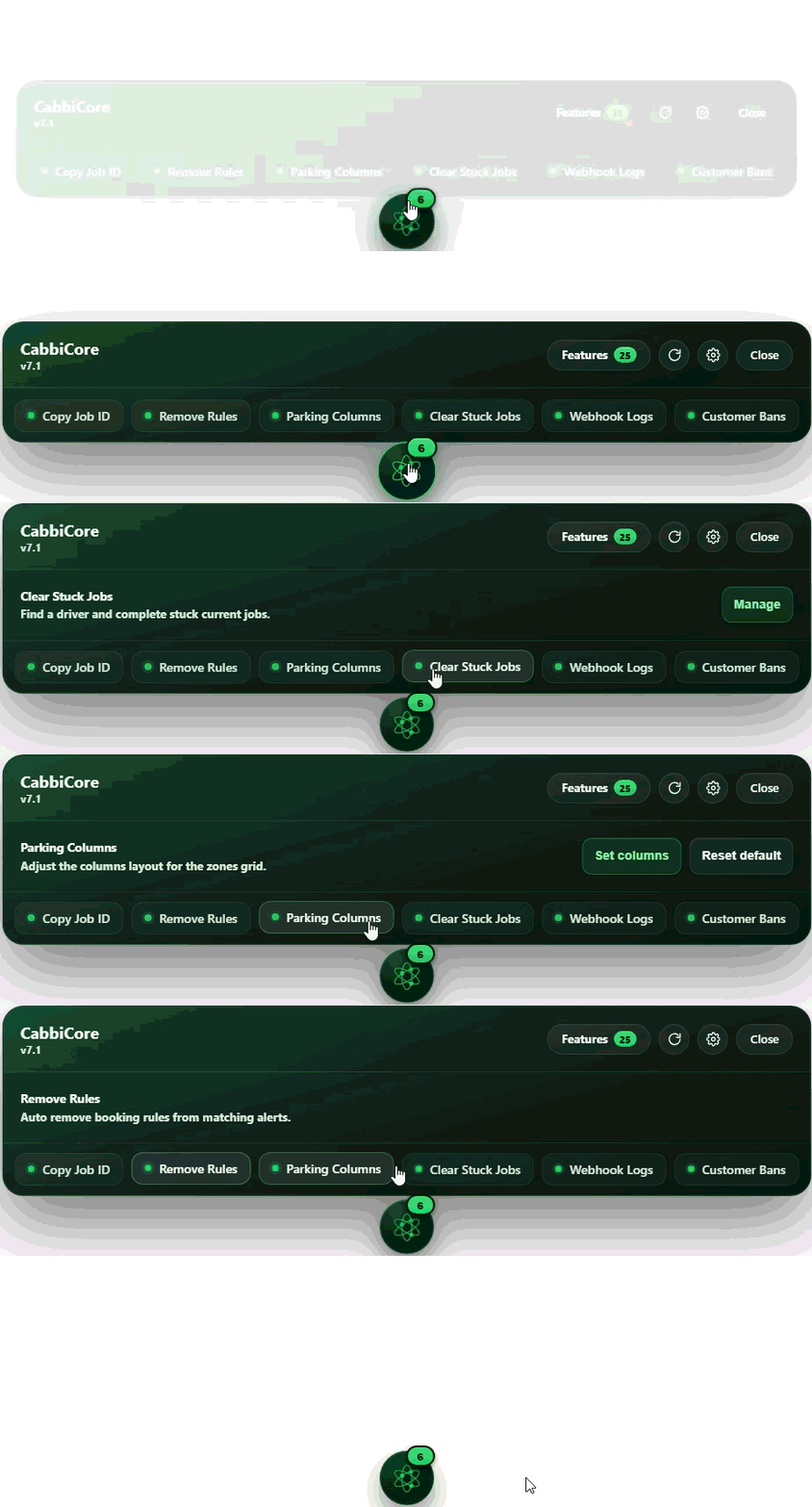
To replace injected buttons, we have introduced the CabbiCore Console.

The console appears in the bottom-right corner of your iCabbi screen whenever a CabbiCore feature or setting is available for the page you are on. For example, tools such as Bulk Zone Settings now live inside the CabbiCore Console rather than inside the iCabbi navigation.

We hope this makes it clearer when you are using CabbiCore functionality, and understand why we have made this change.

πŸ›  Backend Improvements

Alongside the rebrand, we have evolved our backend systems to better support:

  • Release notes delivery

  • Contact and support submissions

  • Feature and settings management at a fleet level

This work enables us to communicate more effectively and manage features more reliably going forward.

πŸ’¬ Support & Communication

We are also launching official CabbiCore support.

From the CabbiCore icon in your Chrome extensions:

  • Click Contact CabbiCore to open a contact submission form and reach us directly

  • Click Release Notes to view updates and announcements

This is our first proper release note entry, and the beginning of better communication. Going forward:

  • You can always access release notes from the CabbiCore icon

  • After every update, you will automatically be taken to the release notes page

  • We may also use this area to communicate important information outside of releases

❀️ Thank You

CabbiCore is now used by over 190 users, which we are incredibly grateful for.

If you find the plugin useful:

Thank you for being part of the journey!